


Follow this :
1. “Facebook Lead” menu
2. Then “Import Lead” and click it.
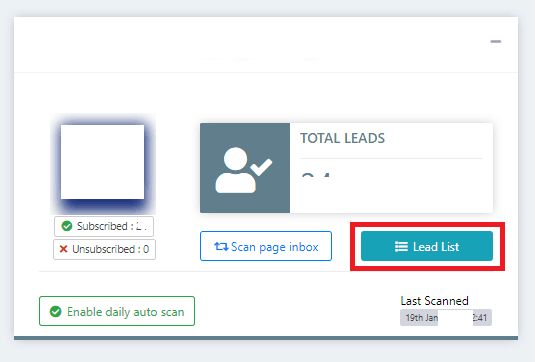
3. Find the page click the “Lead List” button.
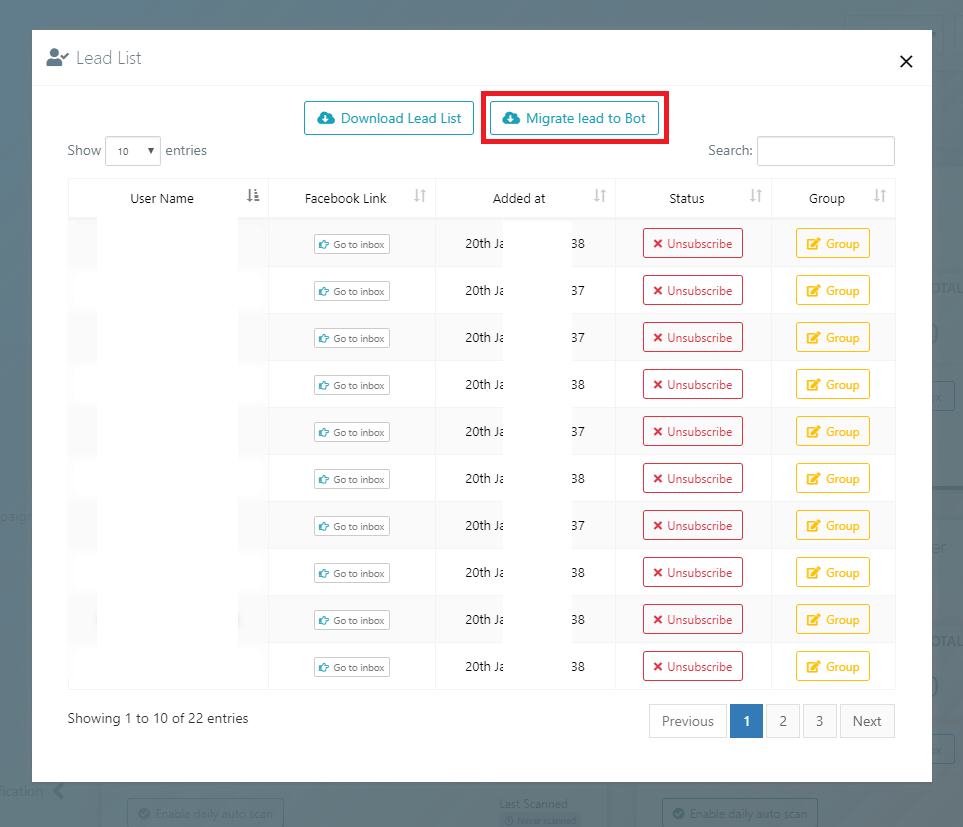
4. A pop-up page will come in front of you. Just click the “Migrate lead to Bot” button. After confirming within few seconds or minutes (depends on your leads amount & server) your leads will be migrated as messenger bot subscribers.
You can migrate these leads anytime from Facebook Lead Lists to Messenger Bot by enabling the bot under Messenger bot.
After migrating the subscribers, list will be inserted in BOT subscriber list without First Name, Last Name. You have option to update profile by clicking button besides each subscribers.