
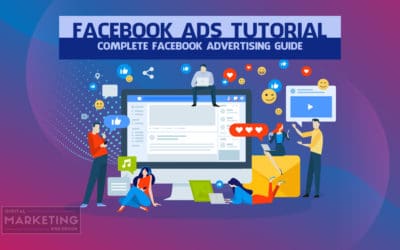
Facebook Ads Tutorial – Complete Facebook Advertising Guide
[et_pb_aio_extended icon_alignment="left" admin_label="Navigation" _builder_version="3.15"]After reading and completing this Facebook ads tutorial you will be able to set up and replicate profitable Facebook advertising campaigns by implementing the Facebook ads...
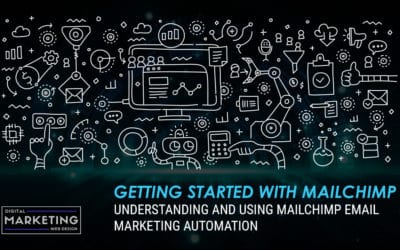
Getting Started With Mailchimp – Understanding and Using Mailchimp Email Marketing Automation
Mailchimp is one of the most popular marketing automation services. It's a great way for small businesses to start using email marketing as the company offers a free account to test drive their service. The only major limitation with the free account is that you can...
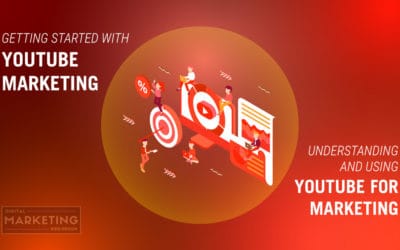
Getting Started With YouTube Marketing – Understanding And Using YouTube For Marketing
YouTube is the second most trafficked site on the Internet right after Google. The video site boasts over 1.5 billion users and this figure is expected to grow over the next few years. Users on the site watch an average of a whopping billion videos in just a single...
How To Set Up An Affiliate Program To Utilize Affiliate Marketing
[et_pb_aio_extended icon_alignment="left" _builder_version="4.16" global_colors_info="{}"]Starting an affiliate program is one of the most cost effective ways to drive traffic to your offer. Most affiliate programs are dead before they even launch. It is imperative to...
How To Sync Your Google Adwords Campaigns With Bing Ads
Most businesses don’t take the time to advertise on Bing, their thought is who wants to spend the time setting up campaigns on a search engine with less than a 3rd of the total search traffic. That is a big mistake, especially since you can easily sync your Google Ads...
How To Setup A Google Ads Display Campaign
[et_pb_aio_extended icon_alignment="left" _builder_version="3.11.1"] Login to your Adwords account, and click “Campaigns”. Then click the blue “+” button and select Create a new campaign. Select “Display”. Select “Create a campaign without a goal”. Select “Standard...
How To Setup A Google Ads Search Campaign
[et_pb_aio_extended icon_alignment="left" _builder_version="3.11.1"] Login to your Adwords account, and click “Campaigns”. Then click the blue “+” button and select Create a new campaign. Select “Search”. Select “Create a campaign without a goal”. Click “Continue”...
How To Create Custom Conversions in Google Ads
[et_pb_aio_extended icon_alignment="left" _builder_version="3.14"]Login to your Adwords account. Note: You must have an active Google Adwords account to utilize paid search advertising and display advertising. Display Advertising allows you to reach your audience...
How To Set Up Your Google Ads Remarketing Tag
[et_pb_aio_extended icon_alignment="left" _builder_version="3.11.1"]Login to your Adwords account. Click the tools icon. Under Shared Library, select “Audience Manager” Click Set up remarketing. Copy and paste the code before the closing of your </body> tag. If...